This is one of the biggest Build Alpha releases to date. Four features fundamentally change how systematic strategy development gets done: LLM Orchestration, new Sequence Workflows, Portfolio Search, and an upgraded Portfolio Suggest. Together they push Build Alpha further into full quantitative research pipeline territory: AI-driven strategy automation, machine learning integration, and multi-round research all become configurable in one session. There's also three new event-aware signals, a stack of workflow improvements, expanded platform support, and a handful of improvements/fixes.
LLM Orchestration: Let AI Drive Build Alpha
Build Alpha now connects to ChatGPT, Claude, Gemini, Grok, DeepSeek, Mistral, and Perplexity so AI can drive strategy development end to end. Any OpenAI-compatible LLM works, including anything routed through Open Router.
You set your search constraints: signals, fitness function, robustness gates, prop firm rules, etc. and toggle AutoTune on.
The LLM reads Build Alpha's output, decides whether the search is in a productive region, and adjusts the search settings between rounds. This is machine learning at the meta level: plateau detection, new-best alerts, hyperparameter changes across the AI trading workflow, all reasoned through by the model and logged for you to audit.
This is a completely optional feature. You can disable AutoTune in the Additional Settings and Build Alpha will not use any LLM or AI - only the built-in genetic algorithm.

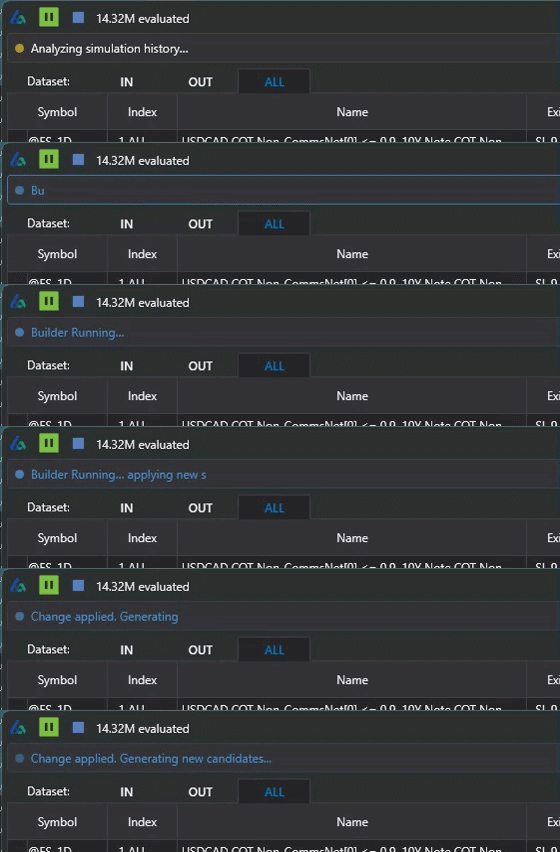
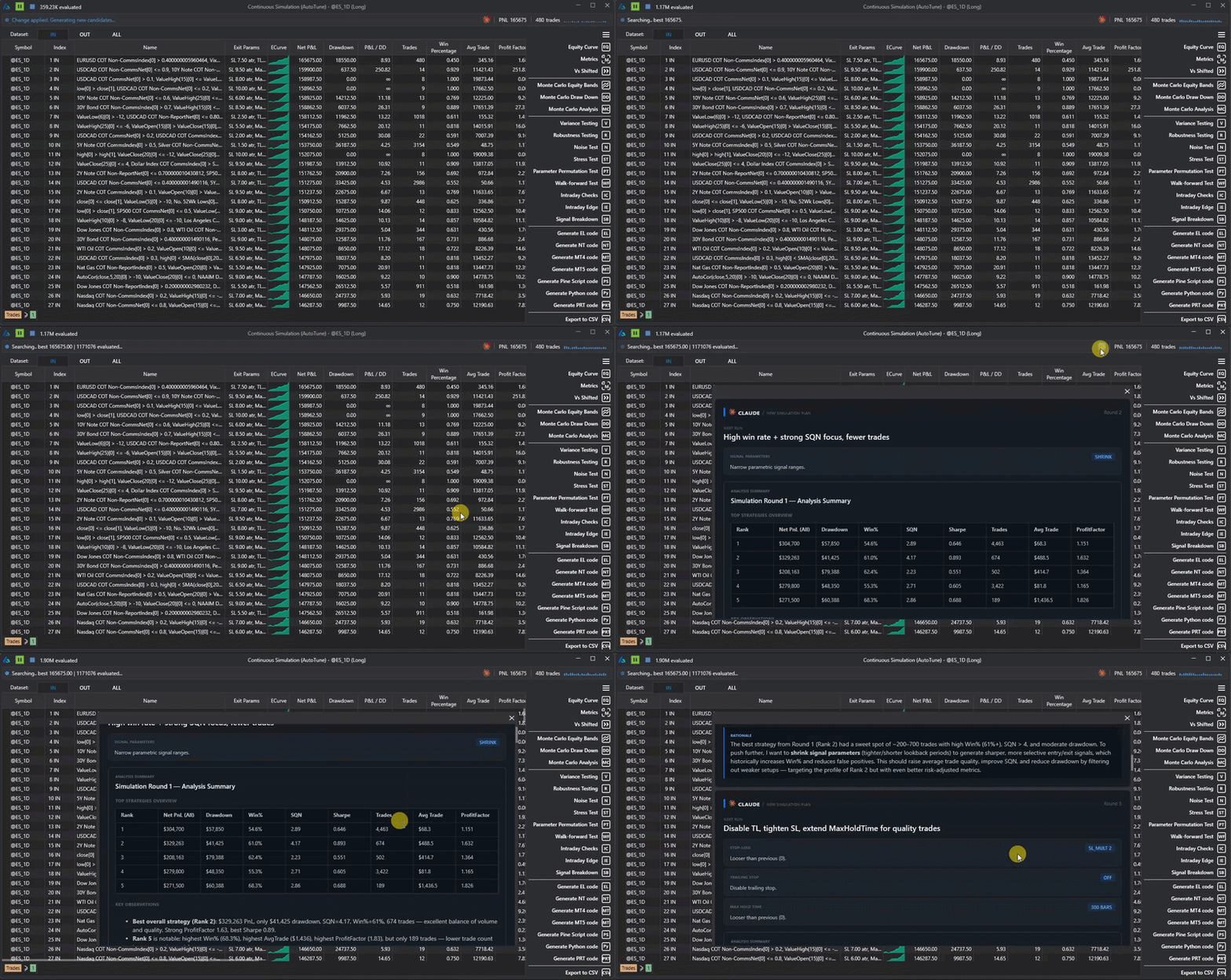
Watch the LLM Orchestrator Run End to End
Setting up AutoTune, connecting an LLM provider, and watching the model take over: adjust hyperparameters between rounds, detect plateaus, save its memory at the end of the session so the next run picks up smarter. This is machine learning-driven quantitative research, working exactly as it says on the tin.
Most systematic trading research effort goes into hyperparameter decisions: "should I add volatility regime filters?", "is the fitness function rewarding the wrong thing?", "are these signals even relevant for this market?" These decisions used to require a human to monitor results. Now they don't. The LLM orchestrator can also create new custom signals mid-session and feed them to Build Alpha. Finally, BA remembers what it learned: persistent memory across sessions means the more you use Build Alpha, the smarter the orchestrator gets at your specific research patterns.
Read the full LLM Orchestrator guideWhat Makes This Institutional Grade
- Multiple provider integrations. Claude (Anthropic), ChatGPT (OpenAI), Gemini (Google), Grok (xAI), DeepSeek, Perplexity, Open Router. Bring your own API keys. Build Alpha calls each provider directly, no markup.
- LLM-generated custom signals. The model can write new signal definitions mid-session and hand them to the genetic algorithm. All LLM-created signals get validated through the same pipeline as built-in signals.
- Persistent memory across sessions. When you stop a simulation, the LLM summarizes what it learned and writes it to a memory store tagged by signal pool, fitness, market, and timeframe. New sessions search the memory bank for similar past configurations before starting. Never start from scratch again. The software gets smarter the more you use it.


The Conceptual Shift
Connecting an LLM to a strategy pipeline is table stakes at this point. Self-improvement without a human bottleneck and accumulating memory across sessions so the tool gets smarter the more you use it are tools all traders need today. Professionals and now independent traders can compete with similar tools.
Sequence Workflows: Multi-Round Research, Automated
A Sequence Workflow is a series of rounds. Each round has its own date range, filters, and advancement criteria. Build Alpha runs the whole pipeline end to end so you don't have to sit at the machine between rounds. Set it up once, hit start, come back when it's done.
The workflow this replaces: a broad search on 10 years of history, then a tighter search on the last 3 years, then a walk-forward validation round with Monte Carlo Permutation as a hard filter, then a final round that only keeps strategies above a Sharpe threshold with at least 1,000 trades. Now with Sequence Workflows, this can all be set once and ran on autopilot.

What You Configure Per Round
- Date range. The window of data this round tests against. Round 1 could be 10 years. Round 2 could be the last 3. Round 3 could be an explicit out-of-sample window or the entire date range.
- Simple filters. Performance thresholds like P&L greater than $X, drawdown less than Y%, or trade count above N.
- Advanced filters. Robustness requirements. Strategies must pass Monte Carlo Permutation, survive a Noise Test, beat Vs Random, and so on.
Advancement Criteria
At the bottom of each round you set what happens when the round finishes:
- Advance when N strategies found. Search until N strategies pass all filters, then move on with them.
- Advance or stop after X tests. If BA runs X tests without finding anything that passes, either advance with whatever was found (even if fewer than N) or stop the sequence entirely.
- Advance or stop after time elapsed. Cap the round with a time limit. When time's up, either advance with what was found or stop.
Advancement criteria compose. You can set "advance when 20 strategies found or 6 hours elapsed, whichever comes first, but stop the sequence if fewer than 5 strategies were found by hour 6." A real research constraint expressed as a real configuration option. You wake up to either a filtered list of strategies that survived every gate you set, or a clear signal that nothing did. Both outcomes save you time.
Portfolio Search: Find Strategies That Work Together
Portfolio Search changes what Build Alpha is searching for. Instead of evaluating strategies one at a time and trusting they combine well later, the engine can now search for strategies that compliment your existing portfolio. BA searches for low correlation, smooth aggregate equity curves, and sensible capital allocation across the basket of strategies - ultimately optimizing marginal contribution.
Single strategies are fragile. Portfolios of uncorrelated strategies can be antifragile. Most systematic traders know this but lack the proper tools. They simply generate strategies in isolation, then pick the prettiest equity curves and hope the combination works. Portfolio Search corrects this.
Here's what this looks like visually. Start with this existing three-strategy portfolio (green, below).

Portfolio Search evaluates candidates not on their standalone backtest but on what they add to the portfolio. Only one of these two individual strategy candidates looks reasonable on its own:


But look at what happens to the aggregate portfolio when each is added:


The "ugly" candidate wins because it earns when the rest of the portfolio doesn't. Standalone-attractive strategies often duplicate existing exposure but add nothing as a portfolio addition. Portfolio Search finds these distinctions automatically. More on the biology of portfolio fit. Most others would discard this "ugly" candidate let alone use it.
The genetic algorithm now optimizes at the portfolio level. Combinations get evaluated as a unit. Strategies that look mediocre alone but combine into a robust portfolio get surfaced. The kind of strategies a strategy-only search misses entirely. This is how institutional desks have always thought about systematic trading. Now individual traders have the same tool.
Read the full Portfolio Search guideWhat This Unlocks
- Strategies that fail alone but win together. A mean-reversion strategy that struggles in trends and a trend-following strategy that struggles in chop both look weak in isolation. Combined, they often produce a smoother equity curve than either does alone. Portfolio Search finds these pairings automatically.
- Correlation-aware selection. Two strategies that backtest beautifully on the same market with similar logic are usually trading the same edge twice. Portfolio Search penalizes that.
How to Use Portfolio Search
- Select your portfolio. Set strategy type to Portfolio Search. In the popup editor, choose which portfolio to find candidates for. You can save multiple portfolios and search against any of them.
- Run Build Alpha. Configure entries, exits, position sizing, and risk management like any other generation. The fitness function is now marginal portfolio contribution instead of the individual strategy's fitness.
- Analyze Portfolio Lift. In the Results Window, toggle Portfolio Lift ON (upper right). Each metric now displays as the percentage improvement from adding the highlighted candidate. A value of 21 trades means the combined portfolio traded 21% more than the original. Right-click → Portfolio View to see the aggregate equity curve change as you click between candidates.

Watch Portfolio Search In Action
The full workflow from picking a baseline portfolio through analyzing Portfolio Lift on the results. Watch how "ugly" standalone equity curves become the winning candidates because they fill the gaps in the existing basket.
Portfolio Suggest v2: Filter, Size, Combine
Portfolio Suggest is a separate workflow from Portfolio Search. Portfolio Search grows a portfolio by finding strategies that complement an existing basket, Portfolio Suggest starts from a pool of candidate strategies you already have and surfaces which combinations form robust portfolios. Two distinct tools for two distinct research questions.
This release ships a v2 with real filtering, sizing visibility, and a compliance toggle that most portfolio tooling ignores.
Correlation and Performance Filters
Portfolio Suggest now ships with a filter panel that lets you set the exact constraints a portfolio must satisfy before Build Alpha will surface it as a candidate. Instead of trial-and-erroring hundreds of possible combinations yourself and sifting through them one-by-one, you tell BA up front what "acceptable" looks like. The results window only shows portfolios that pass.
- Correlation filters. Set a maximum average pairwise correlation across the basket, or a maximum correlation between any two strategies in the portfolio. Portfolios that don't clear the threshold get filtered out before they hit your results view.
- Performance filters. Portfolio-level metrics like Sharpe, Sortino, max drawdown, profit factor, average trade duration, and aggregate profit, with configurable thresholds. If the basket doesn't hit your minimum Sharpe, it doesn't get shown.
- Hedging rules. Three different modes for different portfolio constraints. Enable only one position per symbol, enabled only one position per symbol group within custom defined symbol groups, or prohibit a hedging trade (opposite direction) if an existing position already exists within a custom defined symbol group. These rules give the trader complete flexibility to build a portfolio against any prop firm challenge's restrictions and rule set.

Weights and Sizing Column in the Results View
The Portfolio Suggest Results Window now includes an additional column showing the weight, allocation, or sizing method used by each strategy within a portfolio. At the portfolio level you see how the basket allocates capital across its components. For any row marked BSK (basket), expand it to see the individual sizing used by each strategy inside the basket. No more digging into a separate view to answer "how is this portfolio actually sized?"

Three New Event-Aware Signals
Three new signal types ship in this release, all built around the same idea: events that happened, anchored to other events that happened. They unlock a class of intraday and event-driven strategies that were previously hard to express cleanly.
EventPriceCustom
Stores a value (price, indicator, anything) whenever a condition is true. Then you can compare current price to that stored value, even hours or days later. The below example stores the open price at 9:30. However, one can image storing a calculated value whenever a complex condition happens - this is the big unlock.
EventVWAP
Calculates volume-weighted average price since the last time an event occurred. Most traders use a session VWAP. EventVWAP lets you anchor VWAP to any event you can describe: a regime shift, an indicator cross, a news flag, a custom signal.
CountSinceEvent
Returns the count of one event since the last time another event occurred. This is the building block for a lot of mean-reversion logic: "how many times has close crossed VWAP since the open" tells you something about the day's trading character that no single indicator captures.
Why These Three Together Are Powerful
EventPriceCustom anchors values to events. EventVWAP anchors aggregates to events. CountSinceEvent counts events relative to events. Together they give Build Alpha (and the LLM orchestrator) a vocabulary for describing intraday and event-driven market behavior that the standard indicator library didn't cover. See the feature engineering guide for the framing principles.
Prompt to Signal Preview
The first version of Prompt to Signal ships in this release. Describe the signal you want, and the connected AI builds it using Build Alpha's backend. This means every signal it creates is fully compatible with all of Build Alpha's code generators. Whatever the model produces exports cleanly to EasyLanguage, NinjaScript, MultiCharts PowerLanguage, MetaTrader MQL4 and MQL5, TradingView Pine Script, ProRealCode, and Python.
You no longer have to know the function names, the syntax, or even indicator math. "Can you build me a volatility compression signal that precedes breakouts?" goes in. A working, exportable, validated signal definition comes out, added to your Custom Indicators Editor like any other signal.

See It End-to-End
Watch a brief, simplified example: creating a custom signal through the prompt, selecting it as a custom Build Alpha signal, running a simulation, exporting the code, and getting a 1-to-1 match in NinjaTrader 8. Of course, this works the same for every supported broker and execution platform — the exports are format-specific but the end-to-end workflow is identical.
Preview Feature · First Look for License Holders
Prompt to Signal is shipping as a preview for existing Build Alpha license holders. It works end-to-end today (the signals it creates export to every supported platform), but the conversational interface is still being refined. As always, send any and all feedback.
Workflow Improvements
Six workflow features ship in this release. Here's a closer look.
Quick Wins
Three quality-of-life additions you'll feel immediately:
New Strategy Generation Controls
These three change how Build Alpha composes strategies during generation. They're the most-requested setup controls of the last quarter or so.
Require One From Group
Double-click a signal name to highlight it gold. Build Alpha is then forced to use one signal from each gold-highlighted group. Got 30 RSI signals, 30 SMA signals, and 50 COT signals but want max 3 rules per strategy? Build Alpha will compose strategies with exactly one signal from each highlighted group. More importantly, you can set many parameter variations and Build Alpha will only use one (instead of all variations). A good way to force our will on the engine.

Require Exits
Double-click the exit checkbox to require an exit. Frequently requested by prop traders who want to force a weekend exit or any other mandatory exit logic. This forces Build Alpha (and the LLM orchestrator) to use required exits in every strategy it generates.
Above you can see the RSI crosses below value signal is a required exit. Parameters are set in the upper right after clicking on the signal name.
Edit Parameters En Masse
Automated Workflows → Edit Parameters for Signals. Click a parameter group (or multiple groups), change all ranges at once. Saves a lot of point-and-click drudgery on large signal sets.


Please note that if you select millions of parameters and overload your PC's memory then you will experience reduced performance or a crash. Simply reduce the selected signals, parameter ranges, date range or selected symbols.
Code Export and Platform Improvements
Several improvements to the code Build Alpha generates for each supported platform.
- Timezone controls Generated code now handles broker → UTC → exchange timezone conversion correctly across all supported platforms.
- NinjaTrader 8 multi-timeframe fix. Multi-timeframe strategies exported to NinjaTrader 8 were occasionally referencing incorrect bar indices. Resolved.
- MetaTrader 4 and 5 multi-timeframe fix. Same class of issue as NT8, also resolved.
- MetaTrader spread gating in generated code. Generated MT4/MT5 strategies now include spread gating logic by default. That is, orders won't fire when the bid-ask spread exceeds a configurable threshold. Significantly reduces slippage surprises on illiquid pairs.
- Python library uses Build Alpha's ATR. The Python
library.pyfile now uses Build Alpha's internal SMA-based ATR rather thantalib.ATR. Matches the BA backtest engine exactly and removes the talib dependency for ATR-using signals/strategies. - CultureInvariant parsing for custom filters. Custom filter expressions now parse correctly on European systems where the decimal separator is a comma. No more silent failures on machines with non-US regional settings.
- Alternative data Non-price data libraries now updated for thread safety, multiple function calls and improved performance.
Fixes and Performance
The unglamorous but important list. Every fix in this release, plus one significant performance improvement.
Bug Fixes
- Monte Carlo Randomized: 1-10 currency conversion bug resolved
- Min Variance on Baskets: display fixed
- Vs Random: filtering logic improved
- NT8 multi-timeframe: bar reference fix
- MT4/MT5 multi-timeframe: bar reference fix
- Time zone: generated code DST handling
- Custom filters: CultureInvariant parsing
- Python library: BA ATR replaces talib.ATR
Performance Improvement
- Monte Carlo filtering: 67% faster. Significant speedup on the validation pipeline. Large Monte Carlo runs that used to take minutes to show candidate strategies now show much faster.
A Live Execution Layer
Streaming P&L, live position tracking, and native execution coming directly to Build Alpha in the next release. The gap between strategy generation and live trading gets one step shorter.

How to Get the Update
Check your email! It is live if you're reading this. If you didn't get it please check spam then email me.
If you're new to Build Alpha and reading this from outside the user base: the demo is the fastest way to see what BA can do. The LLM Orchestrator and Portfolio Search guides linked above go deeper than this release post.
To see licensing please head to → Licensing Page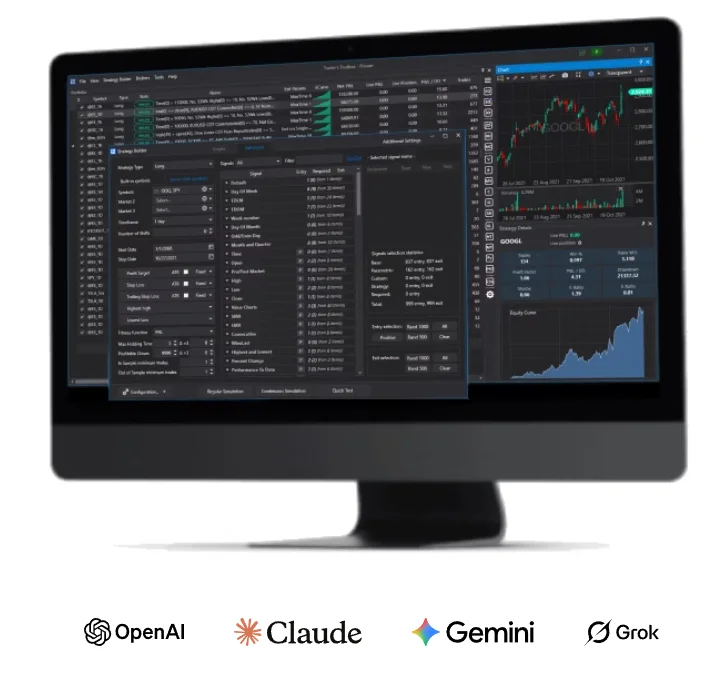
David Bergstrom
A decade-plus in professional trading as a market maker and quantitative strategy developer at a high-frequency trading firm with a CME seat. Consulting for hedge funds, CTAs, family offices, and RIAs. Self-taught C++, C#, and Python programmer specializing in data science, machine learning, and trading strategy development.
Frequently Asked Questions
What's the most important change in this Build Alpha update?
Four cornerstone features. The LLM Orchestrator lets ChatGPT, Claude, Gemini, or Grok drive AutoTune sessions and tune hyperparameters on your behalf. Sequence Workflows automate multi-round research pipelines. Portfolio Search grows a portfolio by finding strategies that complement an existing basket. And Portfolio Suggest v2 takes a pool of strategies you already have and surfaces which combinations form valid portfolios, with correlation filters, performance filters, and a one-position-per-symbol toggle for prop firm compliance. Together they change how much of the research process you have to sit at the keyboard for.
What are Sequence Workflows and when should I use them?
Sequence Workflows are multi-round research pipelines. Each round has its own date range, simple performance filters (P&L, drawdown, trade count), advanced robustness filters (Monte Carlo Permutation, Noise Test, Vs Random, etc.), and advancement criteria that determine when the round moves to the next one. Advancement can be triggered when N strategies are found, after X tests, or after a time cap. Use Sequence Workflows any time your research process is more than one search. For example, a broad search on 10 years of history, then a tighter search on the last 3 years, then a walk-forward validation round. Before, that was hours of manual work between rounds. Now it's one setup.
What's the difference between Portfolio Search and Portfolio Suggest?
They're two distinct workflows. Portfolio Search grows a portfolio by finding new strategies that complement an existing basket. You give it a portfolio, it searches for the best next strategy to add based on marginal contribution. Portfolio Suggest works in the other direction. You already have a pool of strategies, and Suggest surfaces which combinations form valid portfolios given the constraints you set (correlation limits, performance thresholds, one-position-per-symbol, etc.). Search is for building. Suggest is for combining what you already have.
What's new in Portfolio Suggest v2?
Three upgrades. First, a new filter panel with correlation limits (max pairwise or max any-two) and portfolio-level performance filters. The results window only shows portfolios that pass. Second, hedging toggles that constrains each portfolio to strategies that never simultaneously hold a position in the same instrument (or group), which matters for prop firm compliance and specific trade-management setups. Third, the Results Window now includes a weights/allocation/sizing column, and any row marked BSK (basket) can be expanded to reveal the individual strategy sizing inside the basket.
Which LLM providers does Build Alpha support?
Any OpenAI-compatible LLM works. That includes Claude (Anthropic), ChatGPT (OpenAI), Gemini (Google), Grok (xAI), DeepSeek, Perplexity, Mistral, and any model routed through Open Router. Bring your own API keys. Build Alpha calls each provider directly, with no markup and no middleman.
Is there an extra cost for the LLM Orchestrator or new features?
No. Every feature in this release is included in your existing Build Alpha license. There are no add-ons, no premium tiers, no per-feature upgrades. The only external cost is the API usage you pay directly to your chosen LLM provider (Anthropic, OpenAI, Google, etc.). There are free and cheap options available.
Do the new features work with existing strategies I've already built?
Yes. Portfolio Suggest v2 works against any pool of strategies you already have saved. Portfolio Search uses your existing portfolios as the baseline. Sequence Workflows can incorporate rounds that stress-test existing strategies through the new advanced filters. Everything you've already built stays valid and gets access to the new tooling immediately.
How do I update Build Alpha to the latest version?
Check your email! New members head to the Licensing Page.
What are the new signals in this release?
Three event-aware signals: EventPriceCustom (stores a value whenever a condition is true, e.g. the open price at 9:30), EventVWAP (calculates VWAP since the last time an event occurred), and CountSinceEvent (counts how many times one event has happened since another). Together they unlock a class of intraday and event-driven strategies that were previously hard to express. See the feature engineering guide for how to build with them.
What is post-simulation filtering?
Post-simulation filtering lets you apply additional filters after Build Alpha has already generated strategies. Forgot to add a Sharpe ratio threshold? Want to check how many strategies pass a tighter robustness gate? You can now apply filters retroactively and Build Alpha will remove any unqualified strategies from the results window. No need to re-run the simulation or test one-by-one.
Does the LLM Orchestrator require a paid API account?
You bring your own API keys from Anthropic, OpenAI, Google, or xAI. Build Alpha calls each provider directly using your credentials and pays each provider on their normal pricing. Token costs are low because the model only sees compact AutoTune summaries, not raw bar data. There is no Build Alpha markup. Google's Gemini and Open Router offer free API models compatible with Build Alpha as well.
Does Build Alpha run on Mac or Linux?
Build Alpha is a native Windows application. Mac and Linux users successfully run it under Parallels, VMware, or Boot Camp. Windows 10 and Windows 11 are supported. The new LLM Orchestrator and Sequence Workflows have no additional OS requirements beyond what Build Alpha already needed.
Can I use the new AI features for live trading, or only research?
Both. LLM Orchestration and Sequence Workflows are research tools that produce strategies. Once a strategy is generated and validated, it exports as native code to NinjaTrader, TradeStation, MultiCharts, MetaTrader 4/5, TradingView Pine Script, IBKR Python, or ProRealTime for live execution. The AI is not in the loop at runtime, only during research. Your live strategies run as deterministic code with no dependency on an LLM connection.
How large can a portfolio be in Portfolio Suggest?
Portfolio Suggest handles pools of thousands of individual strategies and evaluates combinations at the basket level. The practical constraint is memory. On typical machines, pools of 2000+ strategies with run comfortably. Larger pools work but take longer. Correlation and performance filters help by pruning the search space before genetic or exhaustive combination evaluation.