What Is a MetaTrader Expert Advisor?
An Expert Advisor (EA) is a program that automates trading decisions in MetaTrader 4 or MetaTrader 5. EAs analyze markets, enter and exit trades, manage risk, and run continuously without manual intervention. The terms Expert Advisor, automated trading strategy, algorithmic trading bot, and trading robot are all used interchangeably — they all refer to code that executes a predefined trading plan on your behalf.
Expert Advisors are written in MQL4 (for MetaTrader 4) or MQL5 (for MetaTrader 5) — MetaQuotes’ proprietary programming languages. Traditionally, building an EA required hiring an MQL programmer or learning the language yourself. Build Alpha eliminates this bottleneck entirely by generating complete, editable MQL code from its no-code strategy builder.
How to Build a MetaTrader Expert Advisor Without Coding
The conventional approach to EA development follows a pattern most traders know well: come up with an idea, code it (or hire someone), backtest on historical data, and deploy. The problem is that this workflow has no mechanism for detecting whether the backtest is genuinely predictive or simply an artifact of random variation in the data.
Overfitting — also called curve fitting — is the single most common failure mode in algorithmic trading. An overfit EA performs beautifully on historical data but collapses in live markets because it has learned the noise rather than the signal. Without rigorous robustness testing, there is no reliable way to distinguish a genuinely profitable strategy from a curve-fit one.
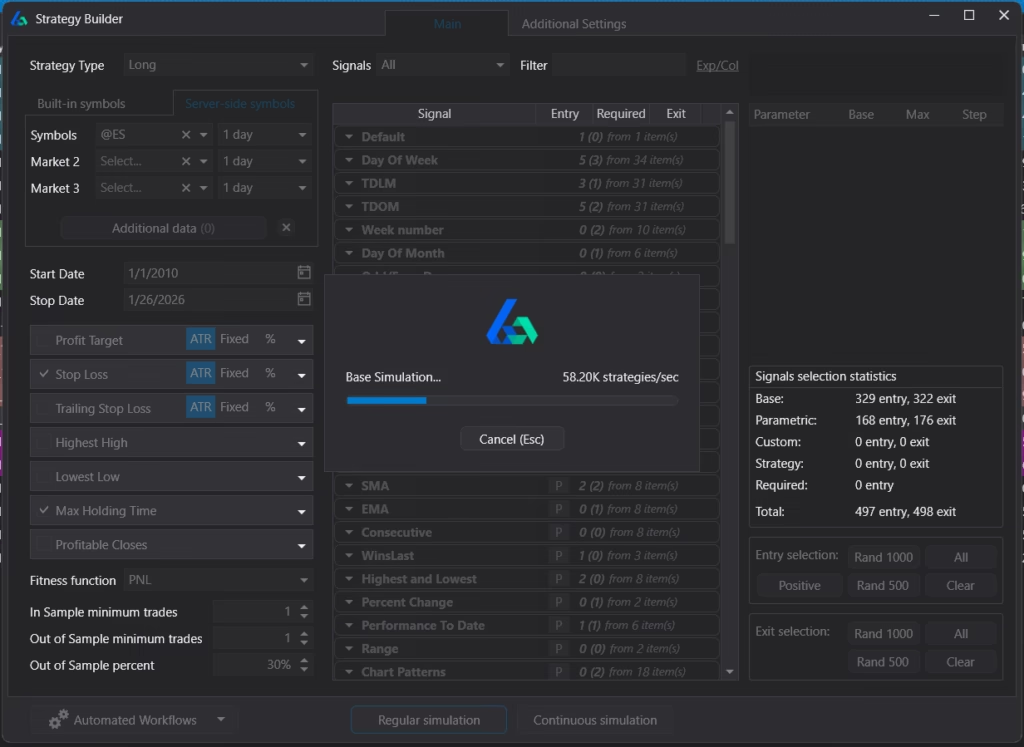
Build Alpha was designed from the ground up to address this problem. Rather than treating robustness testing as an afterthought, it places validation at the center of the strategy development workflow. You define your constraints through a point-and-click interface — selecting markets, timeframes, entry signals, exit rules, risk management parameters, and fitness functions — and the software generates, evaluates, and validates EA candidates automatically.
What Makes the Best MetaTrader EA Generator?
Dozens of EA builders exist. Most can assemble entry and exit rules into an MQL4 or MQL5 file. The best MetaTrader EA generator goes further — it must answer the question every systematic trader needs answered: is this Expert Advisor robust, or is it a curve-fit artifact that will collapse in live markets?
Three factors separate a credible EA generator from a backtest factory. First, the signal library matters. A builder with 35–250 signals will recycle the same ideas; Build Alpha’s 7,000+ signals span price action, indicators, volume, volatility, seasonality, intermarket relationships, sentiment, economic data, and more — producing genuine combinatorial diversity. Second, the search engine matters. Build Alpha’s genetic algorithm with machine learning overlay is more efficient than brute-force grid search and less prone to overfitting than purely random exploration. Third — and most critically — validation must be built into the workflow, not bolted on afterward.
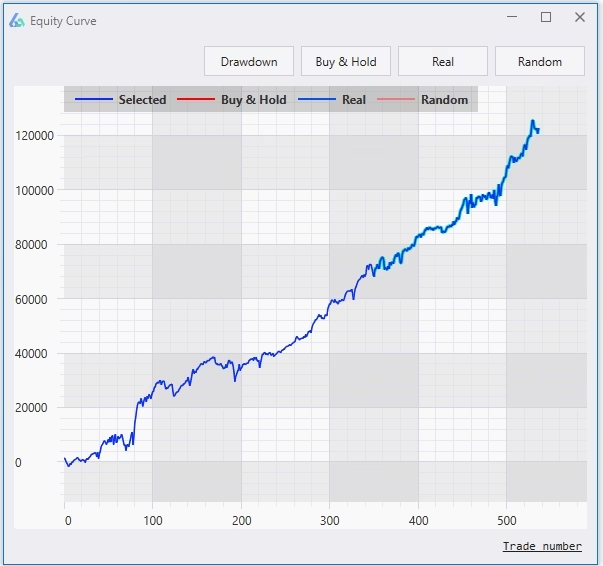
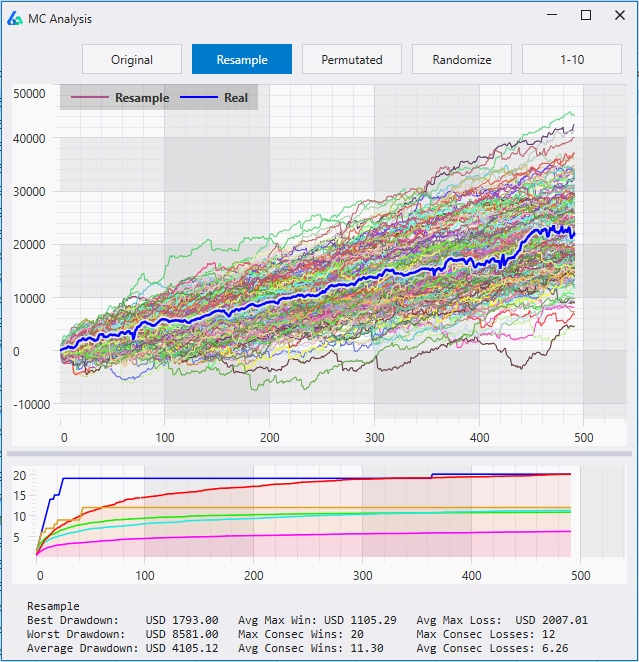
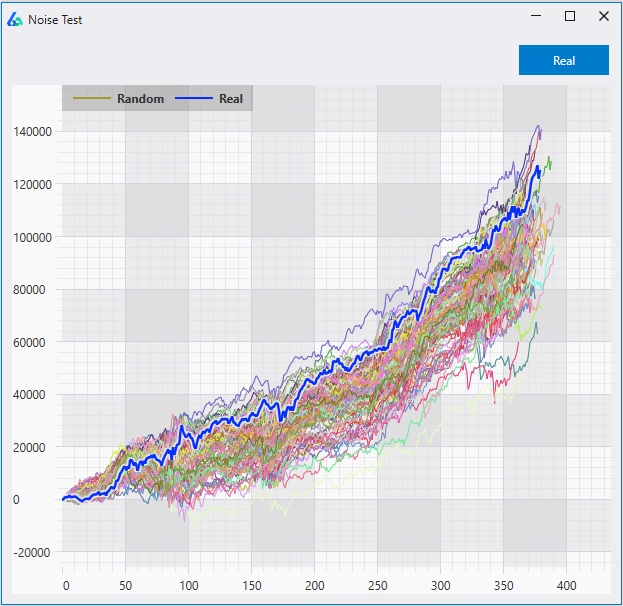
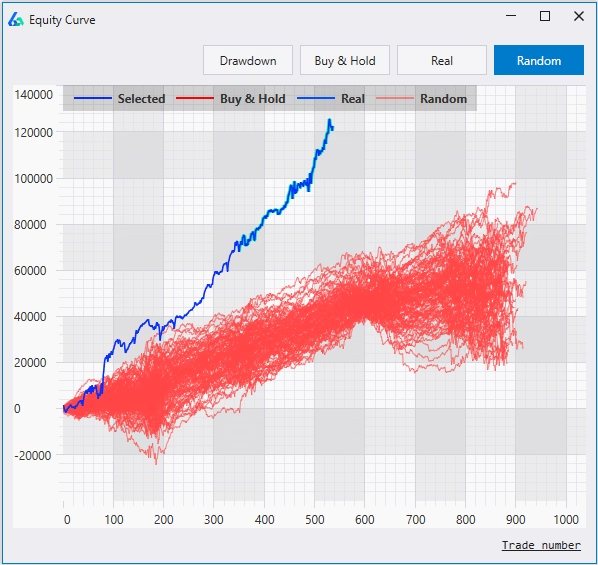
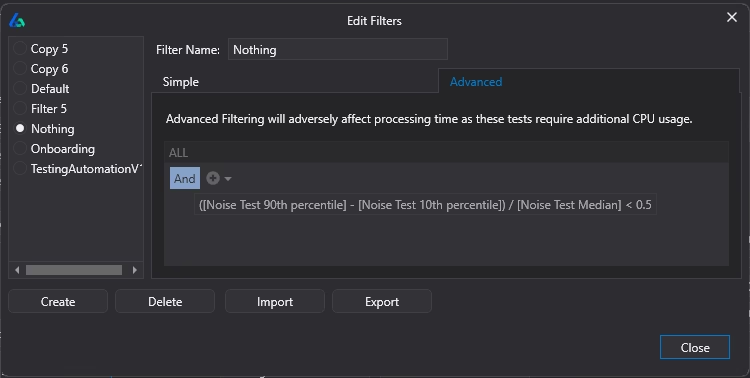
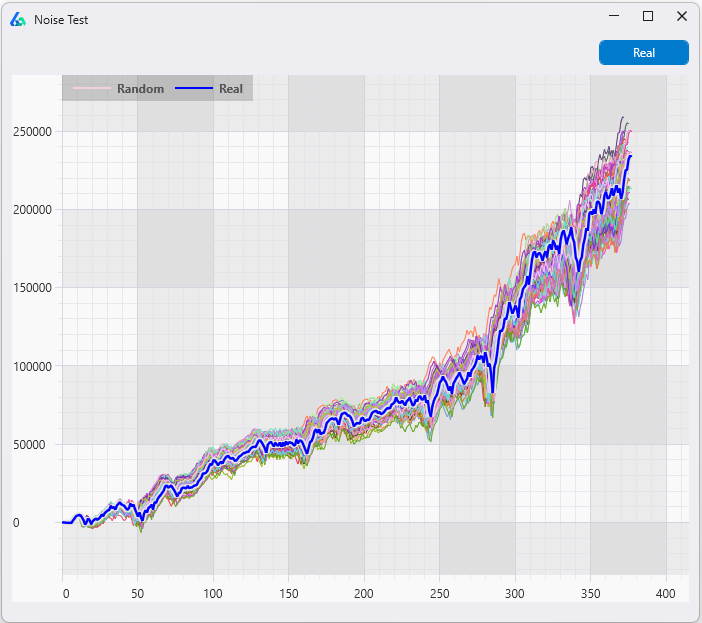
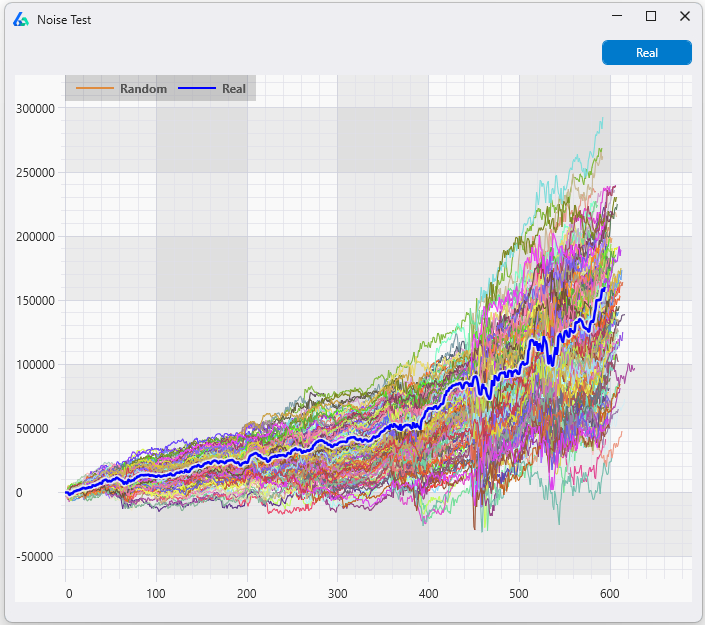
Build Alpha’s automated filter workflows ensure that only Expert Advisors passing out-of-sample testing, Monte Carlo analysis, Noise Tests, and Vs Random benchmarking are ever promoted for MQL code export. This validation-first approach is what makes Build Alpha the preferred EA generator among MetaTrader traders who care about deploying Expert Advisors that survive live markets — not just EAs that look impressive in hindsight. For a visual demonstration, see the Lying Backtests Case Study.
MQL4 vs. MQL5 Code Generation
Build Alpha exports both MQL4 (MetaTrader 4) and MQL5 (MetaTrader 5) code. While both languages serve the same purpose — automating trading logic — they differ in syntax, order handling, and available functions. MQL5 offers a more object-oriented architecture and supports hedging and netting account types, while MQL4 remains the most widely used language in retail forex trading.
In the lower right of the results window, simply press “Generate MT4 Code” or “Generate MT5 Code” and Build Alpha produces tradeable code for the selected strategy. The generated code includes complete order management, risk parameters, stop losses, profit targets, and position sizing — all defined during strategy creation. Copy and paste into MetaEditor, compile, and test in the strategy tester. You can further edit the code in MetaEditor to add enhancements if desired.
How Build Alpha’s Genetic Algorithm Generates Expert Advisors
Build Alpha’s backend uses a genetic algorithm with a machine learning overlay to efficiently explore the vast space of possible strategy combinations. You define the search constraints — which signals to include, what risk parameters to allow, which fitness function to optimize — and the engine systematically generates, evaluates, and evolves EA candidates.
The genetic algorithm doesn’t just find a single best backtest. It produces a large candidate set of diverse strategies, giving you the ability to compare, filter, and validate across multiple approaches. This is fundamentally different from most EA builders that produce one output and call it done. Automated filter workflows then narrow the set to only those EAs that pass your complete validation pipeline — performance thresholds, robustness tests, and stability checks.
7,000+ Built-In Trading Signals
Build Alpha’s built-in signal library covers 7,000+ signals across every major category: price action, all major technical indicators (RSI, MACD, Stochastics, ATR, Bollinger Bands, moving averages, Kaufman Efficiency Ratio, Hurst Exponent, DMI, and many more), volume, volatility, seasonality, market breadth, sentiment, yields, spreads, economic data, COT data, option flows (GEX, DIX), intermarket relationships, multi-timeframe signals, and composite indicators.
Traders can also create their own indicators through a no-code custom signal editor. Advanced users can add custom Python signals for machine learning models, alternative data sources, or proprietary indicators. All custom signals integrate seamlessly into the generation engine alongside built-in signals.
Risk Management in Exported Expert Advisors
Risk management logic — position sizing, stop losses, profit targets, trade limits per day/week, maximum drawdown controls — is defined during strategy creation and exported as part of the EA code. Build Alpha supports fixed lots, percentage-based risk, volatility-based sizing (ATR-scaled), and more. Users can further adjust risk parameters inside MetaTrader before live trading, giving full control over exposure.
MetaTrader Strategy Tester Compatibility
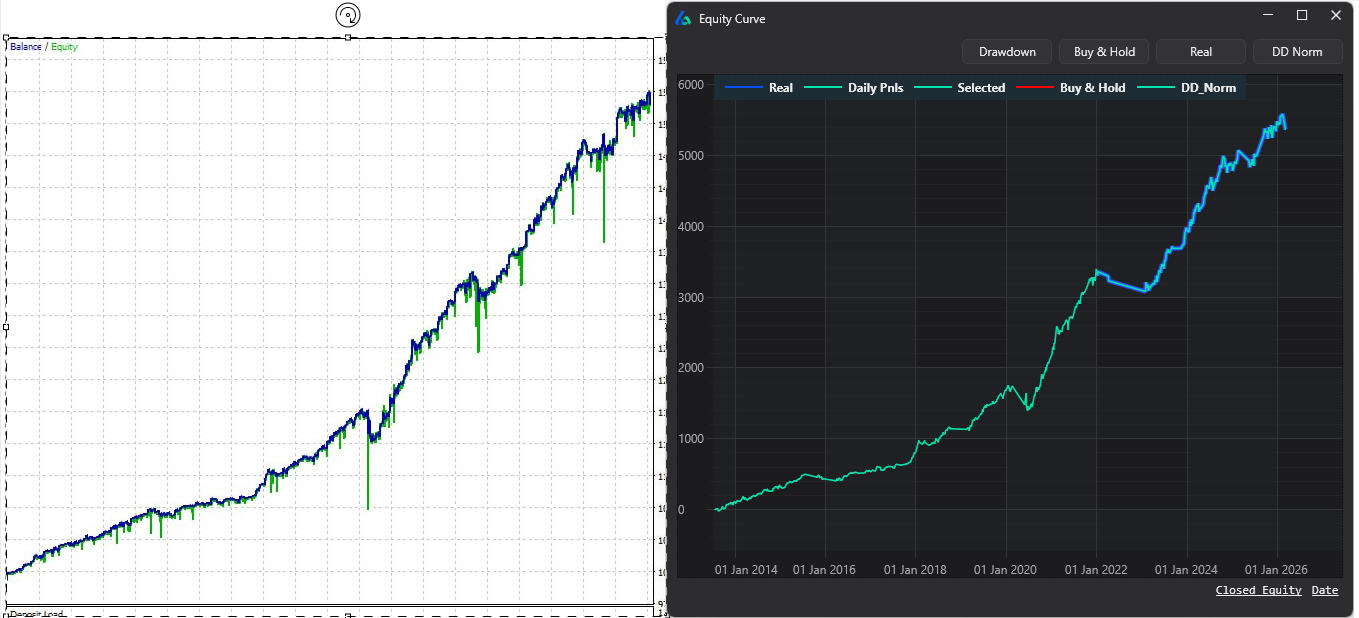
Exported EAs can be backtested directly in the MetaTrader Strategy Tester using your broker’s historical data. Results may differ from Build Alpha backtests due to differences in data quality, modeling assumptions (tick data vs. OHLC), spread models, commissions, and execution rules. Align your settings — session times, costs, slippage — for the closest match. Build Alpha prides itself on reproducible results and accurate backtests across all supported platforms.
Which Forex Brokers Support MetaTrader Expert Advisors?
Most forex brokers that offer MetaTrader 4 or MetaTrader 5 support automated trading via Expert Advisors because this is a core feature of the MT4/MT5 platform. Whether you trade Forex, indices, commodities, CFDs, or crypto, your broker’s MetaTrader installation should allow EAs to be loaded and executed on both demo and live accounts. Always verify with your specific broker that EA trading is enabled on your account type, as some ECN or STP accounts may have specific requirements.
Portfolio Strategy Management for Expert Advisors
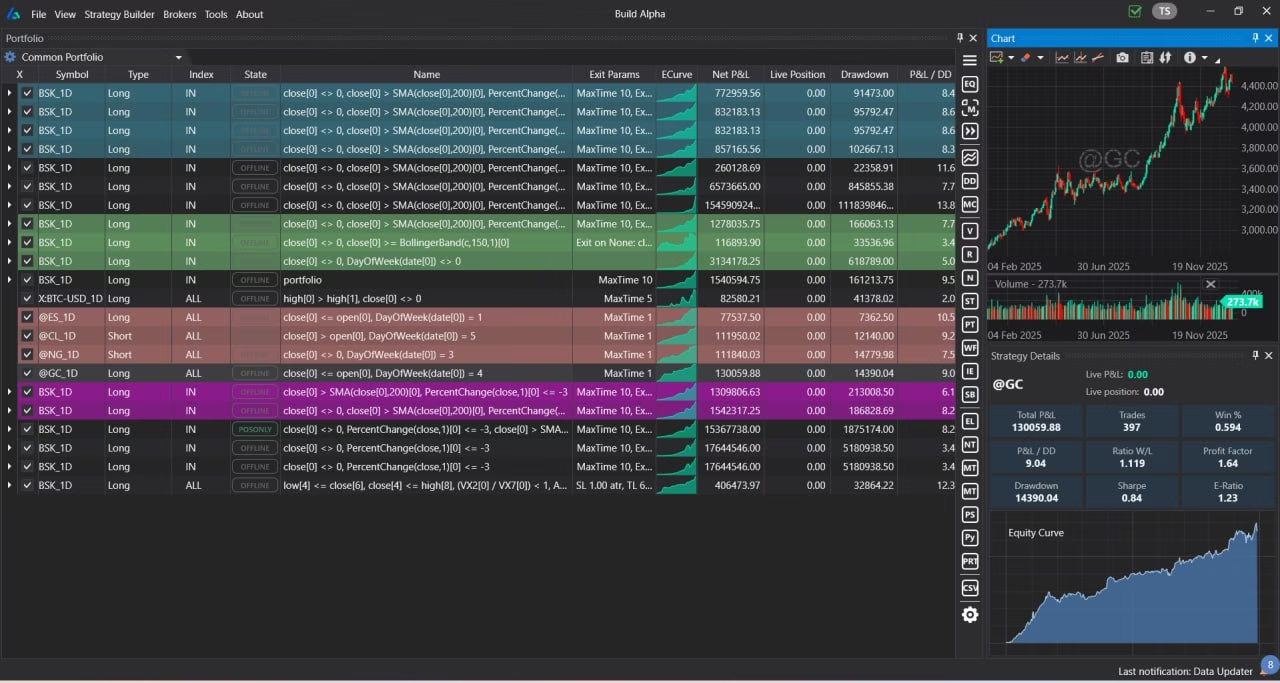
Build Alpha allows adding any Expert Advisor into a custom portfolio for portfolio-level evaluation. Run Monte Carlo drawdown analysis on a portfolio of strategies to understand the capital required to trade multiple EAs with the highest probability for success. Correlation-aware portfolio simulation uses pooled (shared) capital, accounting for how strategies interact during simultaneous drawdowns. Portfolio trading can often be best for both performance and security — diversification across uncorrelated strategies reduces peak-to-valley drawdown while maintaining aggregate returns.
Build Alpha’s portfolio dashboard lets you monitor all saved trading systems, view combined equity curves, and track real-time performance metrics. Expand the right-hand panel to access validation tests and code generation buttons for any individual strategy or the entire portfolio. You can generate code for complete portfolios and deploy multiple EAs simultaneously across your MetaTrader accounts.