Interactive Brokers ($IBKR) is both a retail and professional trading broker and software platform that can be downloaded directly from the Interactive Brokers website assuming you have an existing Interactive Brokers account. If you do not have an existing IBKR account create one here: Open Interactive Brokers Account
If you have an account, please download and install their software for desktops here: Interactive Brokers Download
To learn how to navigate the IB platform, check out this video: IBKR Short Video – TWS for Beginners – Getting Started
Finding Trading Strategies with Build Alpha – No Code
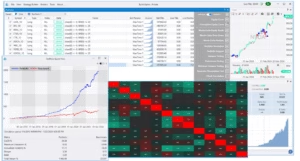
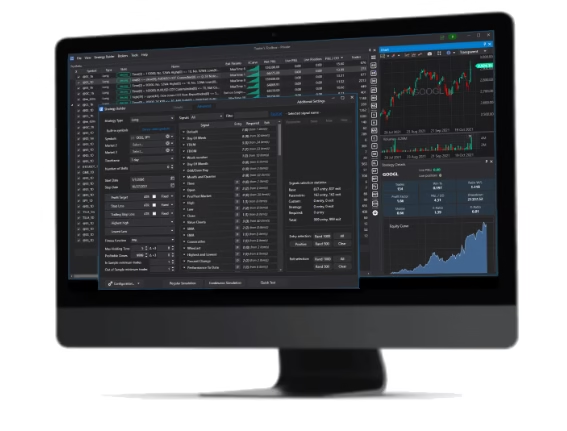
Build Alpha is a no code strategy builder that enables traders to build, backtest, and generate code for tons of automated trading strategies. This presents an option for those that do not want to learn how to program but still want to do algorithmic trading.
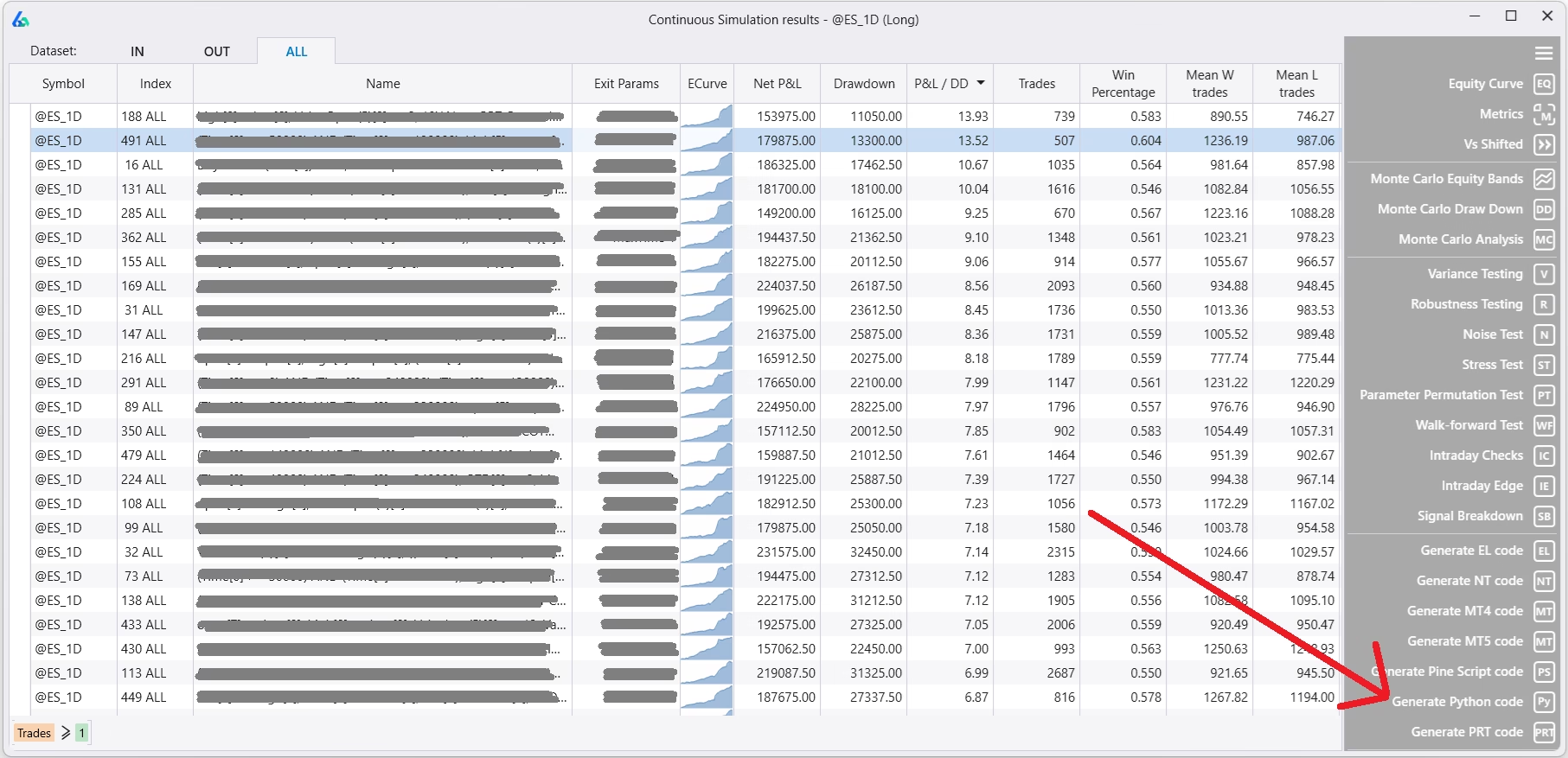
Generate Python Code for Interactive Brokers with Build Alpha
After generating automated strategies, simply highlight the trading algorithm you like and hit the ‘Generate Python Code’ button to get the full python code to use with Interactive Brokers. Later I will show step by step how to automate trading with Interactive Brokers using this generated code.
Build Alpha currently generates code for the following platforms
- Tradestation
- Ninjatrader
- Multicharts
- Metatrader4
- Metatrader5
- Interactive Brokers (python)
- Pro Real Time
- TradingView

Additional Notes about Build Alpha
For those interested in adding custom signals to the existing 7,000+ built-in signal library, Build Alpha has both a no code custom editor and the ability to add custom signals via python. Build Alpha also has tons of alternative, non-price-based data to add context to automated trading strategies. Read more about that here: Build Alpha Breadth and Sentiment Data
To see more Build Alpha features please click here: Build Alpha features
Automate Trading with Interactive Brokers Python API
The generated strategy code will be able to access live and historical data to assess trading opportunities, calculate position sizes, weigh available capital, determine new buy and sell decisions, and ultimately send orders (market, bracket orders, advanced order types) directly to IBKR for execution for paper trading or live trading.
Step One: Configure IBKR TWS
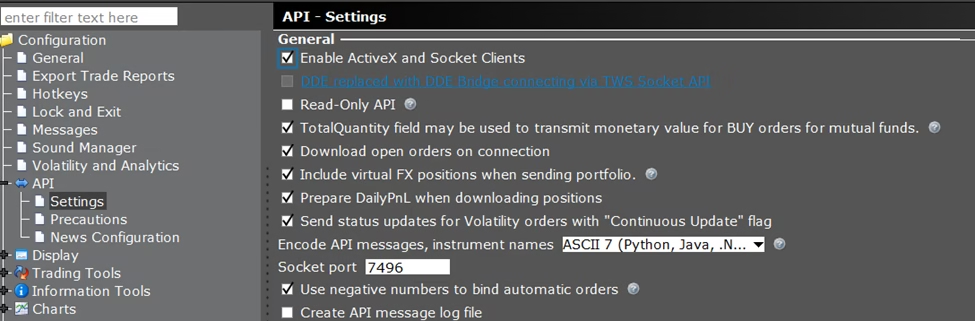
In your Interactive Brokers Traders Workstation please go to Settings >> API >> Settings and do the following
- Enable ActiveX
- Untick Read-Only API
- Make sure socket port is 7496 (live) or 7497 (simulated)
Step Two: Configure the Python code
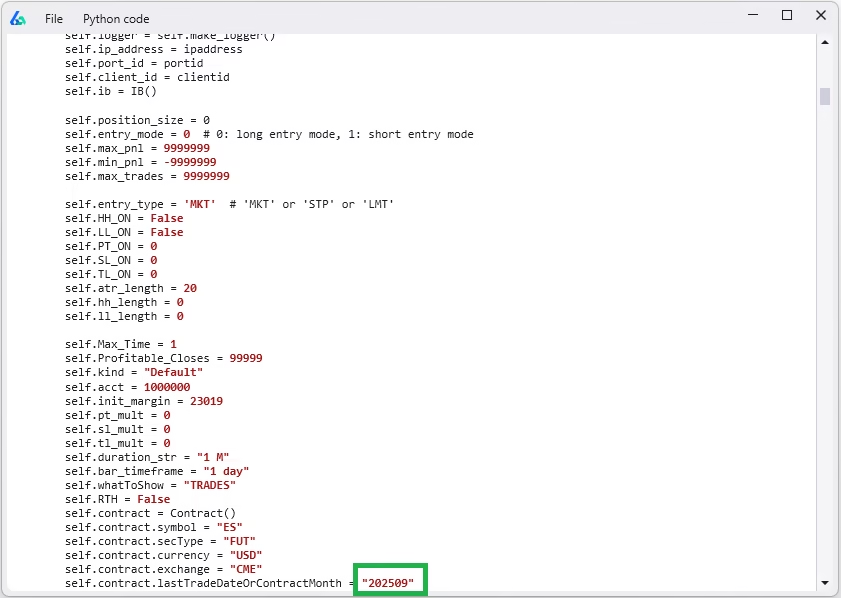
In Build Alpha, select the strategy you want then hit Generate Python Code (instructions above). Next, go to Tools >> Python Development Environment (pictured below)
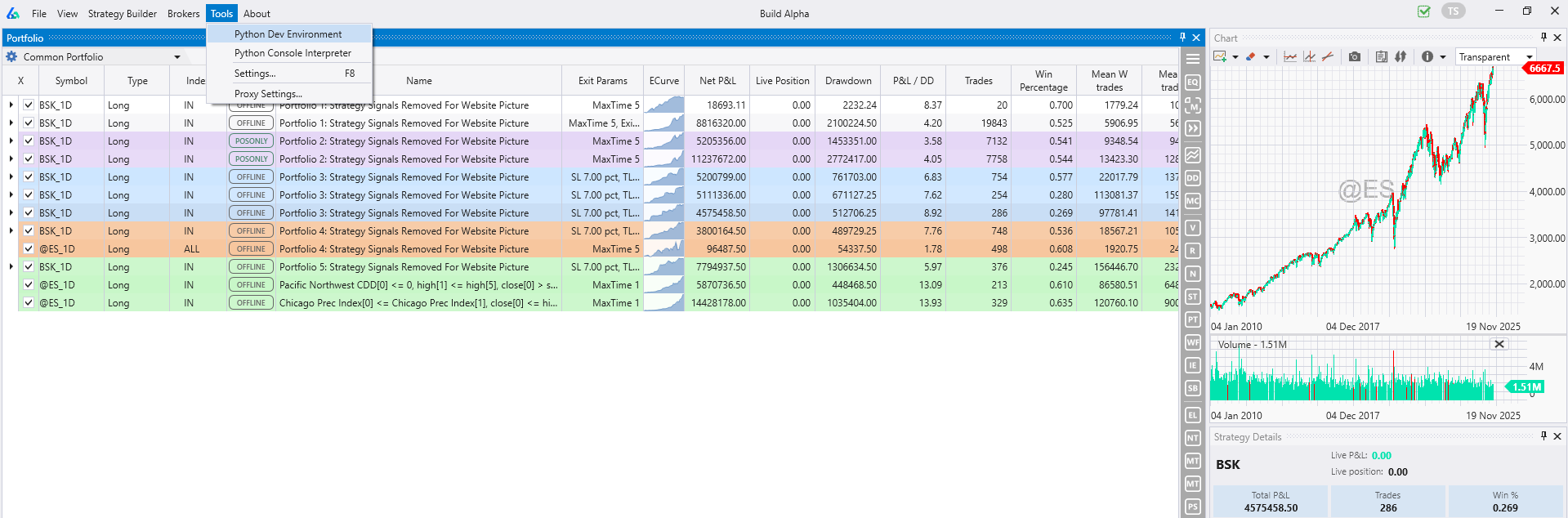
Then copy and paste your code into a new python file and save it. Make sure to modify any contract expiration dates or symbols that may be different then when you originally generated the code.
Step Three: Run the Python Code
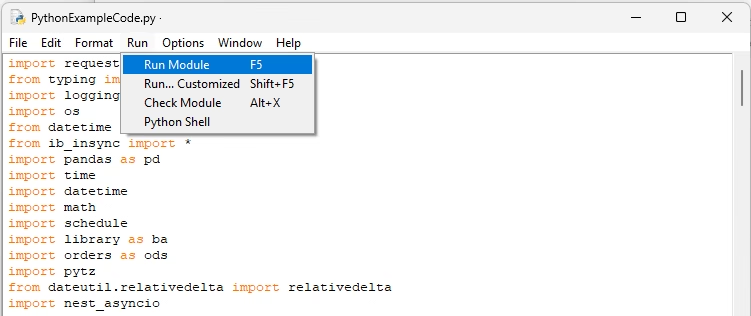
Once your strategy is configured and saved in a new file, you can simply hit ‘Run Module’ or F5 and the code will connect to IB, start monitoring data and issuing orders based on your exact strategy logic and settings from Build Alpha. Not difficult and all with no code!
Step Four: Monitor Your Live Strategies
Once your strategy or strategies are running live then you can see your orders, resting limit order status, filled trades log, profit and loss, overall performance, and account changes directly through the visual interface provided by Interactive Brokers’ Trader Workstation (pictured below from Getting Started with TWS | Trading Lesson | Traders’ Academy).
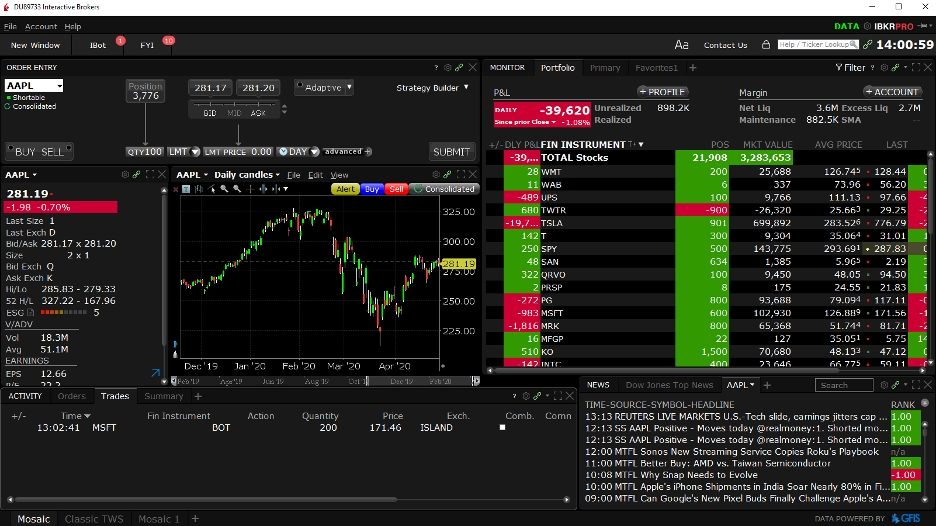
All of this is enabled through Interactive Brokers by utilizing their application programming interface or API. The Build Alpha generated python code includes logic so your strategy can communicate with IBKR through the Interactive Brokers’ API.
Above is a brief IB API Python example but for full depth please consult the Build Alpha User’s Guide or the Interactive Brokers API Python Documentation here: IBKR TWS API Documentation
What is an API?
In simple terms, an API or application programming interface is a set of instructions that one code developer shares with another code developer so that their respective codes can effectively communicate with each other. To learn more about APIs please check this out: Wikipedia API page
Some APIs require payment or a private api key for use. Some APIs are free and do not require additional money. Interactive Brokers API is free and has good security.
More Info on Interactive Brokers
Interactive Brokers is a professional trading brokerage and has great documentation. For instance, their step-by-step guide for those that want to try connecting their own python scripts to IBKR is very robust: Interactive Brokers Python API (Native) – A Step-by-step Guide. Additionally, IB is great for a handful of other reasons and compliments Build Alpha’s advanced tools quite nicely.
Paper Trading with IBKR
All IBKR accounts have the ability for a paper account or practice account which is recommended when initially learning how to connect code, trying new strategies or even just getting familiar with a new brokerage platform. Take it slow and understand what you are doing before putting real capital at risk.
All Asset Classes and Timeframes
IBKR and Build Alpha both support all timeframes and asset classes in one place. Accessibility is key in today’s markets. You can track intraday data and place orders for stocks, etfs, futures, mutual funds, forex and even crypto currency through a single IBKR account. This is a large advantage for those that want to master systematic trading and expand their trading portfolio.
IBRK Stock
Interactive Brokers is a publicly traded company. It was founded in 1978 by Thomas Peterffy, who remains chairman. The company is headquartered in Greenwich, Connecticut and has over 2 million users and nearly 3,000 employees worldwide. The stock trades under the ticker $IBKR hence my common use of the IBKR abbreviation throughout this article.
IBRK margin rates
Interactive Brokers is often lauded for their low percentage margin rates which can be found here: Margin Rates and Financing | Interactive Brokers LLC. Please do your own due diligence and caution when utilizing margin. The rates do get lower as you have a larger account – some power in having more capital.
Does IBKR have a trading simulator?
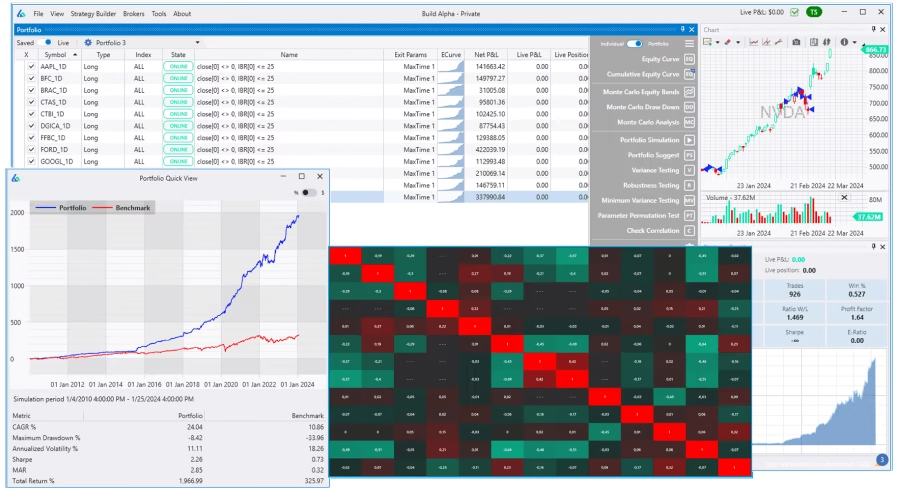
No, Interactive Brokers does not have a trading simulator, but you can utilize their paper trading account with live data. However, Build Alpha allows traders to generate, backtest, and build individual strategies and portfolios of strategies on any asset class, timeframe and bar type. The only no code multi-strategy portfolio testing software.
Summary
There are many factors to consider when reviewing all current material and aiming to complete research on trading brokers such as Interactive Brokers. Do not immediately open an account or automate any trading at any broker without doing your own due diligence. However, please be aware that many professionals have at least one Interactive Brokers account due to its reliability, professionalism and financial stability.
Compare and contrast the value with the other brokerage platforms Build Alpha supports (Tradestation, Ninjatrader, Metatrader, etc.) in order to take full advantage of both the Build Alpha software and your fees when you execute trades in a live account.
Please reach out to me anytime through email or the contact form on the site regarding an Interactive Brokers account or anything else in this post.