What You’ll Learn
- How to generate NinjaTrader strategy code with Build Alpha
- How to import/compile in the NinjaScript Editor
- How to verify backtest matching and avoid common mismatches
How to Download NinjaTrader
First, create a free NinjaTrader account at NinjaTrader.com and download the NT8 NinjaTrader8 platform. Often Ninjatrader.com needs to review the security of your connection and may request you verify you are human by completing a simple captcha.
NinjaTrader 8
Currently NinjaTrader is on version 8. Build Alpha has supported NinjaTrader since NinjaTrader7 but now proudly supports Ninjatrader8. Make sure you download the latest version for the best experience.
NinjaTrader Brokerage Account
Ninjatrader is also their own broker, meaning you can open a real money account and trade directly through the Ninjatrader platform.
NT8 is a large reputable futures broker and were recently acquired by Kraken in a $1.5B deal. You can read about the deal here: Kraken to Acquire NinjaTrader: Introducing the Next Era of Professional Trading | NinjaTrader I imagine the trend of merging traditional finance and crypto will continue.
Futures Trading NinjaTrader
NinjaTrader is arguably the best futures broker available at the moment for retail traders and serious independent traders. NinjaTrader has a wide variety of futures data connections and has competitive margin requirements. You can trade all assets through NinjaTrader but it is particularly good for futures traders.
NinjaTrader Margin Requirements
NT8 has competitive margin requirements which can be found here: Margins for Available Futures Markets | NinjaTrader | NinjaTrader
NinjaTrader Automated Trading Systems
NinjaTrader also permits full automation of trading strategies using their proprietary NinjaScript programming language. The programming language is C# based and extremely flexible.
There are tons of existing functions, tools, indicators and strategy logic blocks for those that want to dive into the C# code. For those that do not want to write their own code, there is of course Build Alpha!
NinjaTrader Automated Trading Systems with No Code
Build Alpha generates fully operational NinjaTrader code at the click of a button with perfectly matching results across the two platforms. Build Alpha enables traders to build and execute their own trading ideas with no code and then easily transfer the generated code over to NT8 for live (or simulated) trading.
Build Alpha vs NinjaTrader Strategy Builder vs Coding
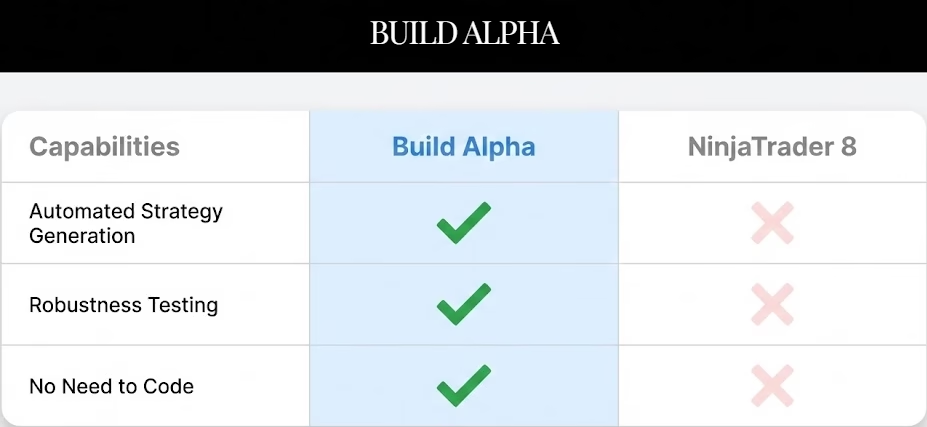
NinjaTrader has their own basic Strategy Builder which may be good for basic rules but can be quite limiting. It also only tests a single idea at a time and has no artificial intelligence to help arrive at better strategies for you.
NinjaScript – NinjaTrader’s proprietary coding language – gives maximum flexibility but requires coding time. It is C# based so it is not trivial for a non-coder to pick up.
On the other hand, Build Alpha generates thousands of strategies per second improving them using a genetic algorithm and artificial intelligence (my background in machine learning). BA also has the most advanced suite of robustness tests and completely exportable NinjaScript code.
How to Automate Build Alpha strategies in NinjaTrader with no coding
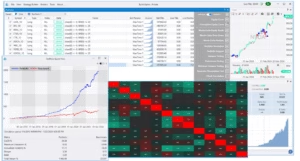
First, let’s generate a simple strategy so we can talk about the same example. I selected a few thousand signals in Build Alpha, hit simulate, and selected a random strategy to review.
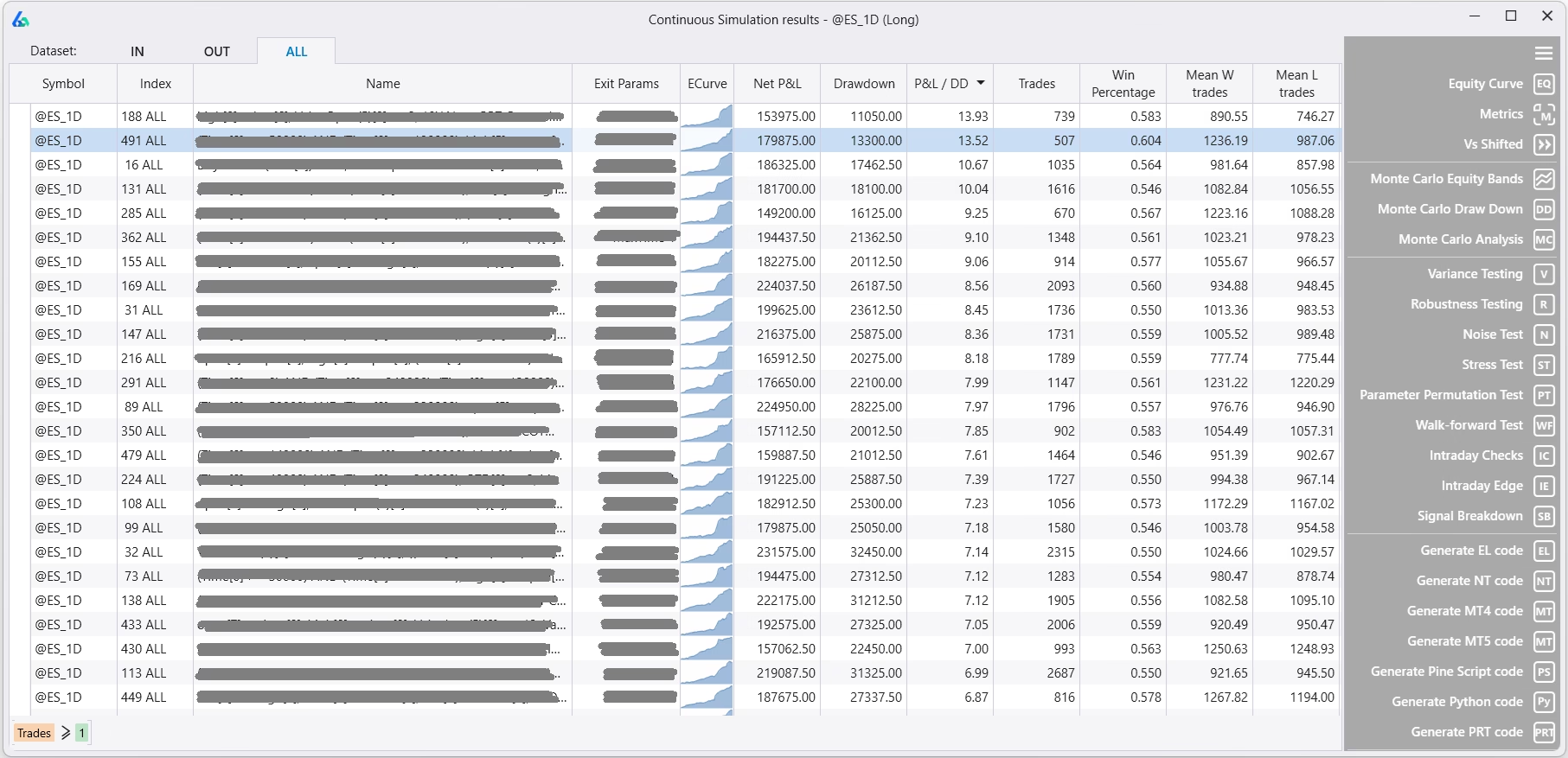
Next, hit the ‘Generate NT Code’ button in the lower right of the Strategy Simulation results window pictured above. NT stands for Ninjatrader8. Please note there are also Build Alpha code generators for
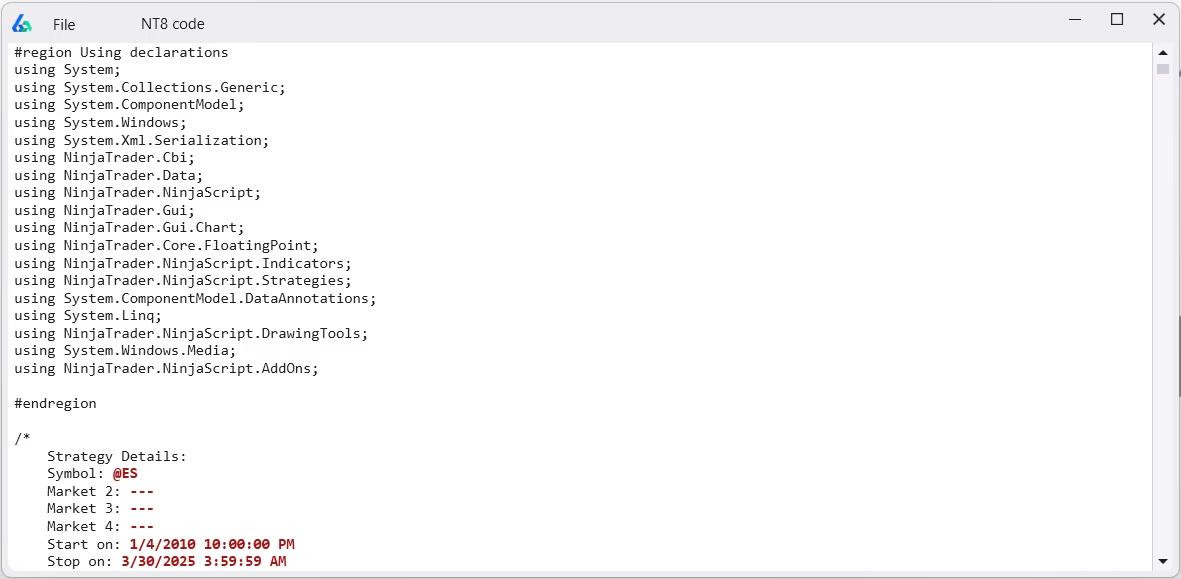
Below is a picture of the Build Alpha generated code for NinjaTrader8. Copy all the code by hitting CTRL + A (to highlight all) and CTRL + C (to copy all).
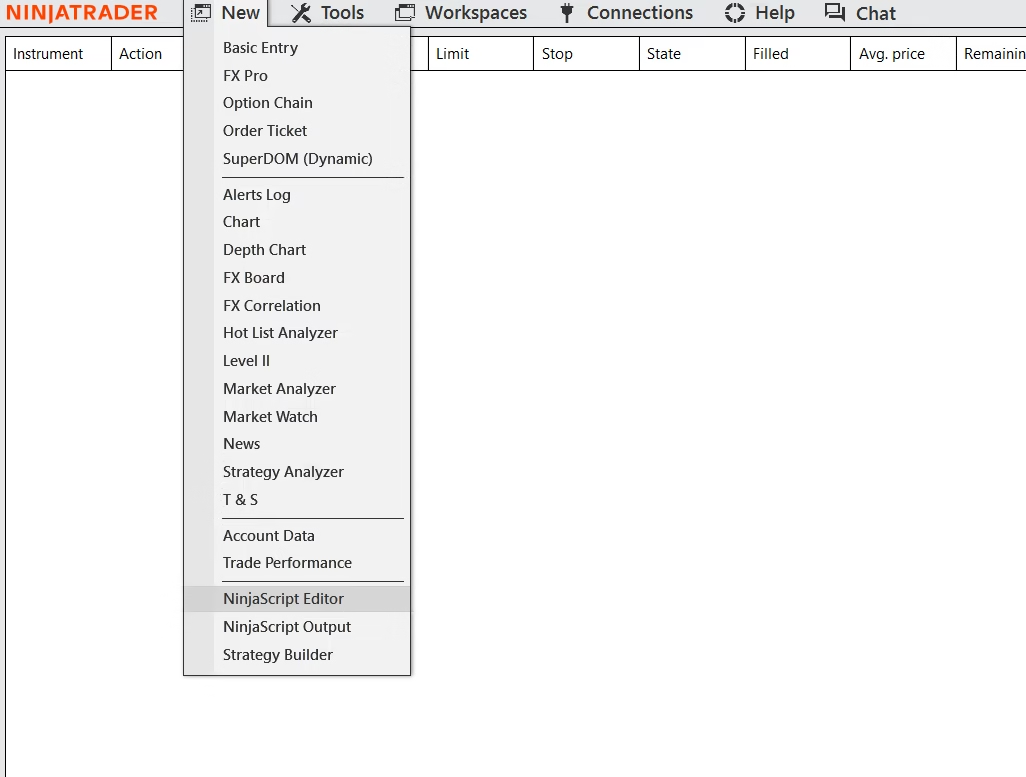
In NinjaTrader, go to New >> NinjaScript Editor
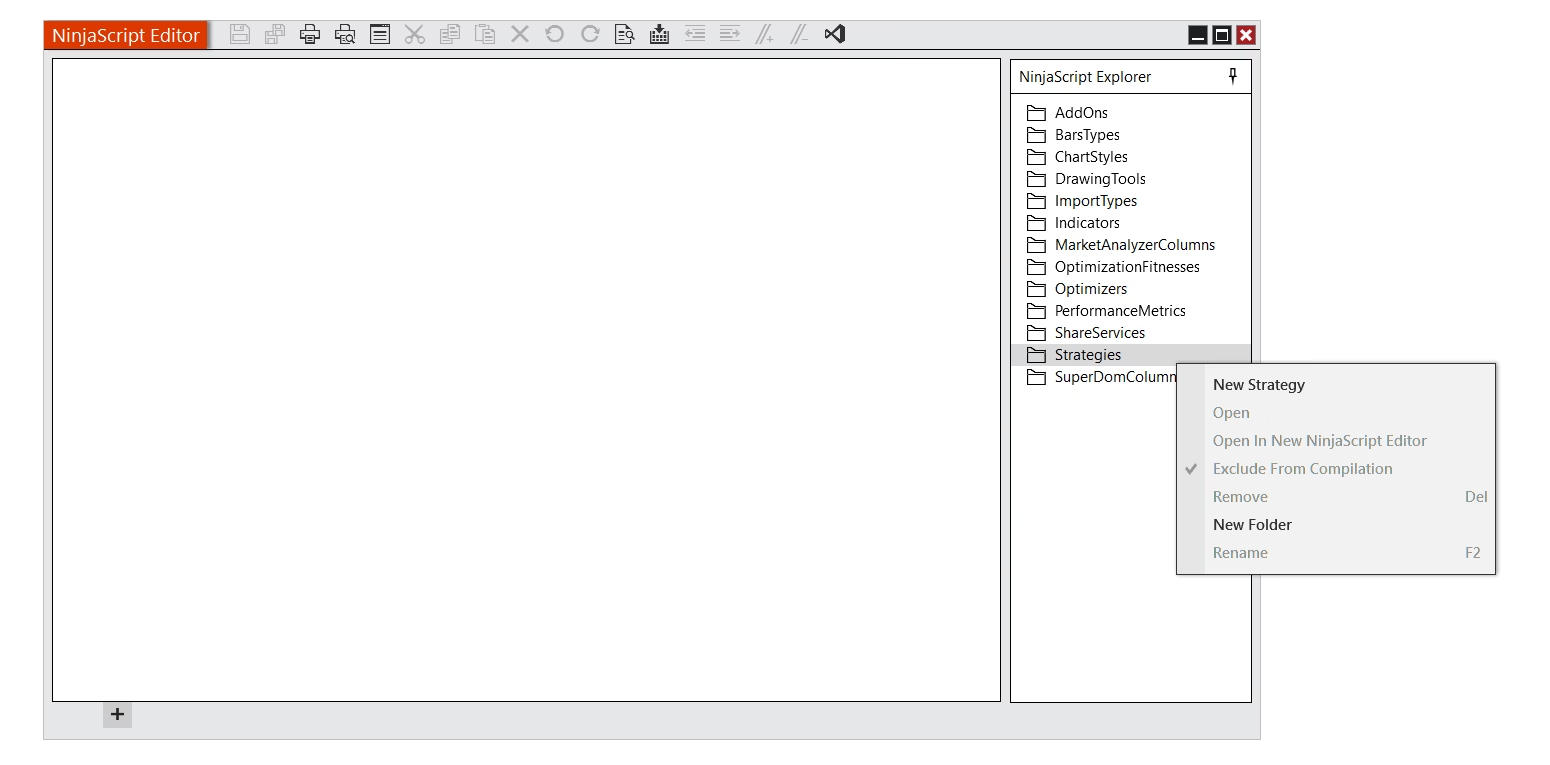
In the NinjaScript Editor window, find Strategies and right-click to create a New Strategy.
The Strategy Wizard will open. Give your strategy a name and hit Generate. I chose ‘MyCustomName’ as the name for my strategy.
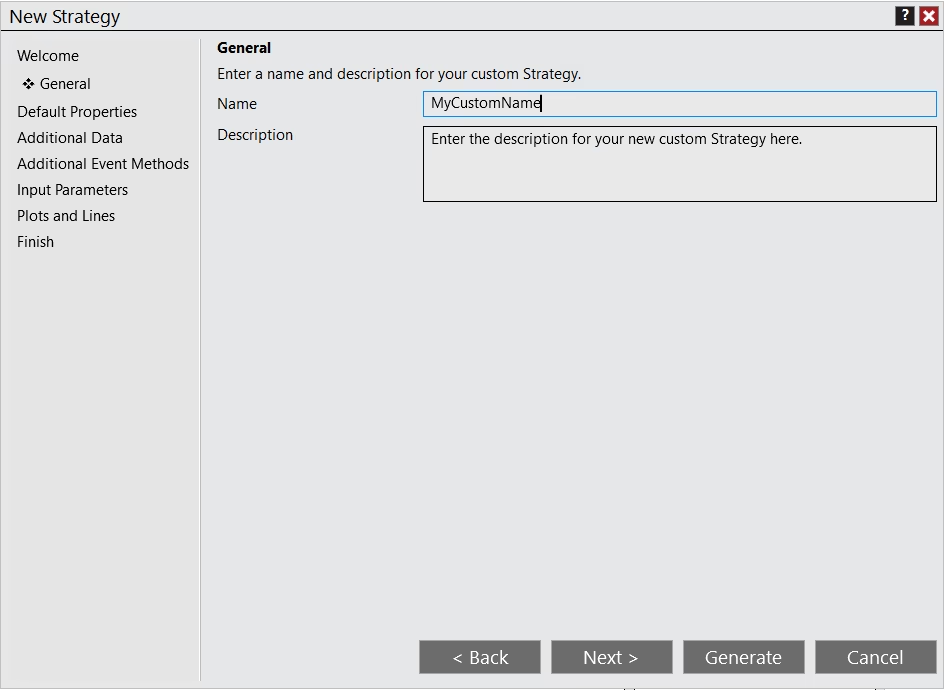
In the new window that opens, hit CTRL + A to highlight and then Delete to remove all default strategy text provided by NinjaTrader.
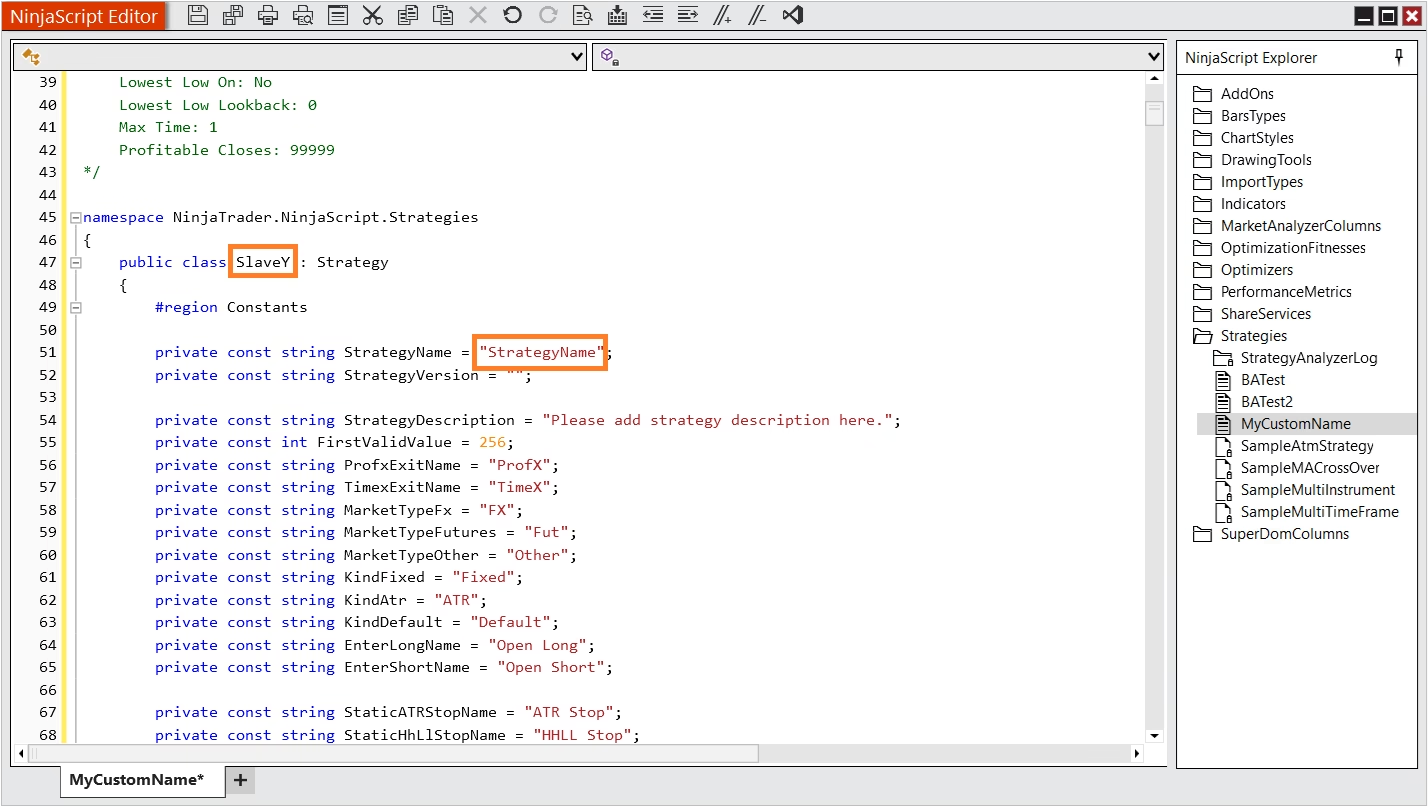
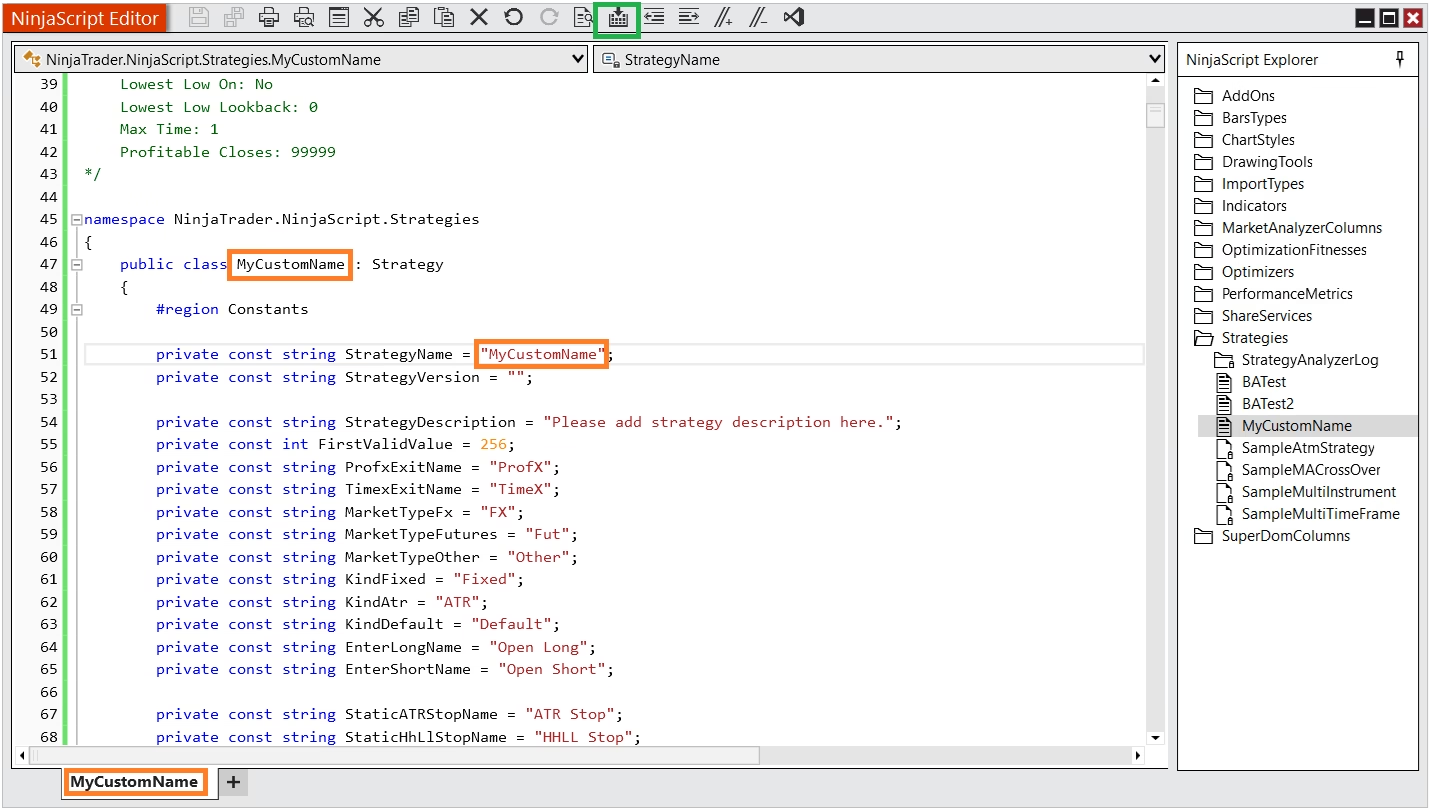
After completing the action, simply copy and paste the Build Alpha code into this blank file. Next, rename ‘SlaveY’ class name and ‘StrategyName’ to ‘MyCustomName’ which was the name I provided for the strategy – which can also be seen in the bottom tab of the NinjaScript editor (all in orange boxes below). Finally, compile the strategy by clicking the button in the green box at the top of the second image below. This saves your strategy in Ninjatrader8.
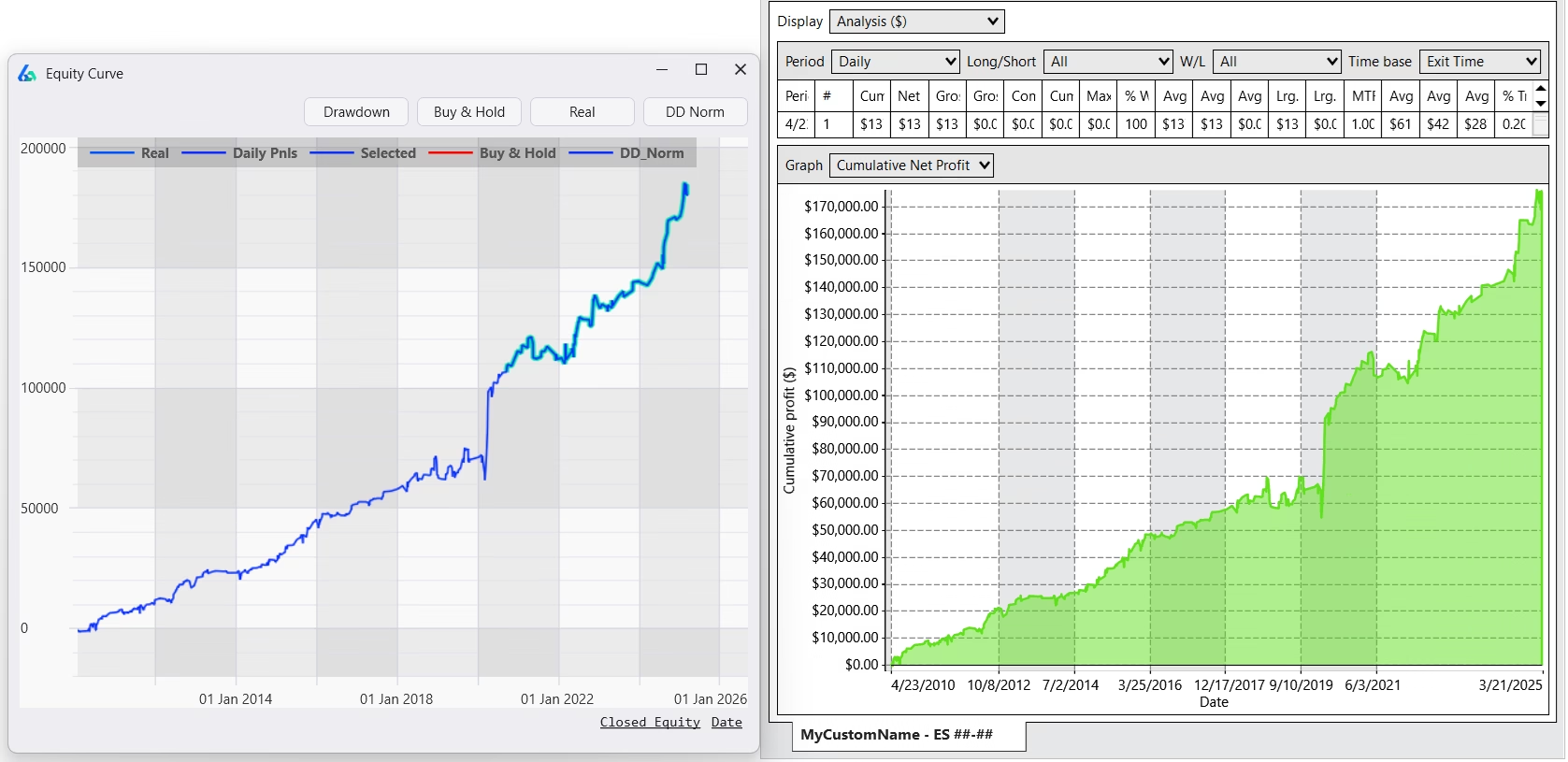
Finally, open a NT8 chart and add the strategy to the chart (enable it in NT8 settings). Below I’ve added our strategy onto the SP500 Futures emini chart and pulled up the NinjaTrader strategy performance report to show the backtest results matching in both Build Alpha (left) and NinjaTrader (right).
Reminder: Please check your data connection before proceeding from the NinjaTrader Connections menu or you will not be able to load a strategy onto a chart.
Build Alpha’s generated code will include position sizing contracts, time of day, market conditions, entry and exit signals, risk management, session information, etc. In other words, the complete strategy developed or produced in Build Alpha with all settings you decide to use will be reflected in the generated NT code.
Market Data, Trade Entries and Trade Execution
Now that you have a strategy loaded on a NinjaTrader chart you can watch the live market data and the strategy will show live trade executions (sim or live) on the NinjaTrader chart. You have now built and automated a trading strategy in Ninjatrader8 with no coding using Build Alpha.
NinjatraderEcoSystem – Proud Partner
Build Alpha is also a proud member of the NinjaTrader EcoSystem. Meaning NinjaTrader has reviewed and approved Build Alpha as certified member of the NT8 developer community.
To learn more about Build Alpha please check these resources
Everything you need to know about Monte Carlo Simulations
Failing strategies? Read the Robustness Testing Guide
NinjaTrader Automation FAQ
Does Build Alpha generate NinjaTrader8 strategies or indicators?Build Alpha generates fully tradeable strategies. However, the generated code can be modified to serve as an indicator, if desired.
Do the results match exactly?If you use the same data in both platforms, session templates, transaction costs then yes, the results will match. An example is pictured above.
Can the generated code be used to paper trade?Yes, you can use the generate code for both paper trading and live trading.